Translations
Customers can use Tickiti in English, French, German, Spanish, Italian, Dutch or Brazilian Portuguese. Tickiti’s own customer screens and emails come translated. Your own wording — FAQs, email templates and notification templates — is written in English, and you add a translation for each language you want to offer. Staff screens are always in English.
Which language a customer gets
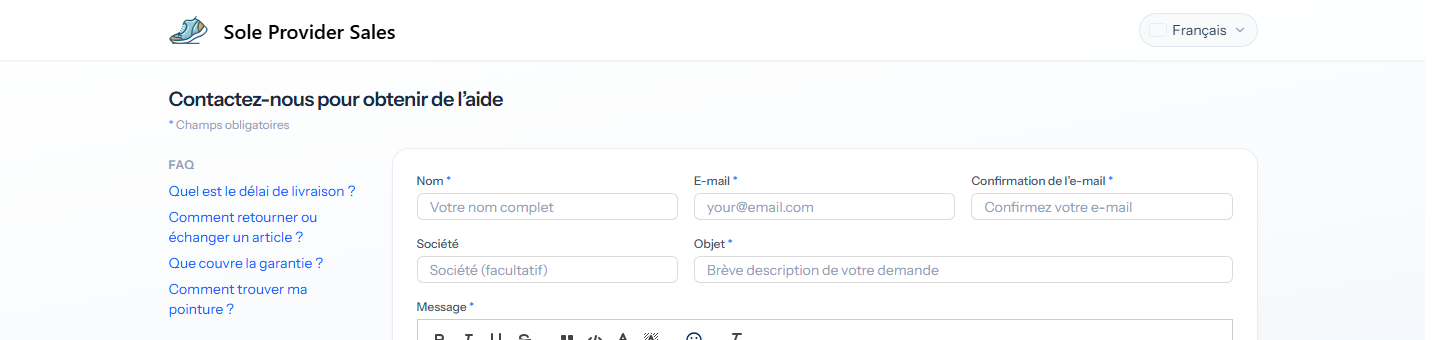
On the support form, the sign-in pages and the customer’s ticket pages, the language picker at the top right chooses the language. Tickiti remembers the choice in that browser, and on the customer’s account if they are signed in. A customer who has not chosen gets their browser’s language where Tickiti offers it, otherwise English.
Emails to a customer about a ticket go out in the language they used when they raised or joined that ticket in the browser, otherwise the language saved on their account, otherwise English. Emails to staff are in English.
Translating FAQs and templates
FAQs (Administration → FAQs) and the email and notification templates (Mail & Templates → Templates) have a row of language tabs above the editor. English, marked Source, is the version everything else is translated from. The dot beside each other language shows its state:
- Grey — not translated. Customers using that language get the English.
- Green — translated and up to date.
- Amber — out of date: the English has changed since the translation was saved. Customers still get this translation until you update it.
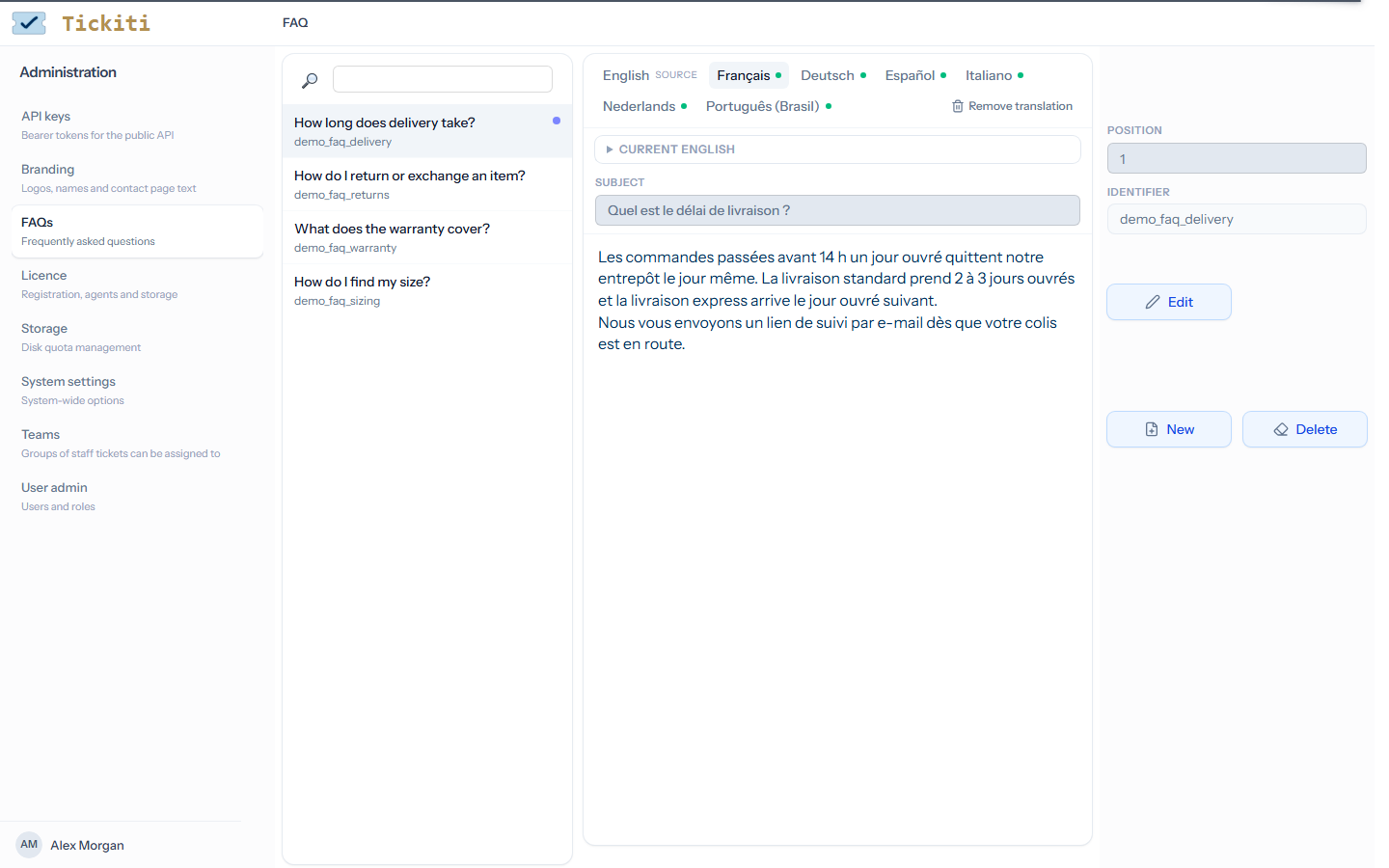
To translate, open the FAQ or template, click the language’s tab, click Edit, write the translation and click Save. A language not yet translated opens with the English as a starting point; replace it and save. An FAQ’s translation needs its question; a template’s needs its subject, except for notification templates.
When a translation exists, Current English above it opens the English it should match. It opens by itself when the translation is out of date, so you can compare the two.
Editing the English of a translated FAQ or template reminds you which translations it has. Saving a change marks them out of date, and a notice lists them so you can update each one.
Remove translation deletes the translation in the open tab, after you confirm. Customers using that language then get the English.
Stock responses and Axial
Stock responses are written in English and have no language tabs. Where your Axial settings reply in the customer’s language (Axial: replies), Axial writes each reply in English and translates it for a customer who writes in another language, and shows the English beside the draft.
A stock response in such a reply uses its approved translation into that language where it has one. Otherwise Axial translates it for the reply, and the draft says which stock responses have no approved translation yet. Staff with Manage access to Axial can click Approve these translations once they have checked them against the English: those translations are then used as they stand whenever the stock response appears in that language. Changing the English of a stock response retires its approved translations, and the next reply that uses it is translated afresh.
Related
- FAQs — the questions beside your support form.
- Templates — the emails and notifications Tickiti sends.
- The Axial panel — where Axial’s drafts appear on a ticket.