


Tracking your tickets
Each ticket you raise gets its own notification email with a direct link back to it. For an occasional ticket that is usually all you need. But if you raise tickets regularly with the same supplier, those notification emails pile up and it gets hard to see the full picture: how many tickets you have open, what state each one is in, and which ones are waiting on you.
Registering an account solves that: a single page that lists every ticket attached to your email, in one place.
The screenshot below uses Sole Provider Sales, an example running-shoe retailer. Your supplier’s pages will look similar.
Register an account
You can register an account on your supplier’s Tickiti site using the same email address you raise tickets with. Once signed in, you get a ticket list showing every ticket attached to your email, with its most recent activity. New tickets you raise — or that come in from anywhere using the same email — appear on the same list automatically.
To register:
- Open any ticket with the Open ticket button in a notification email.
- At the top-right of the page, click Register.
- Enter your name and the same email address, choose a password, and confirm your email.
From then on, click Sign in to browse all your tickets without needing the original notification emails.
The ticket list
Once you are signed in, the ticket list shows your tickets at a glance:
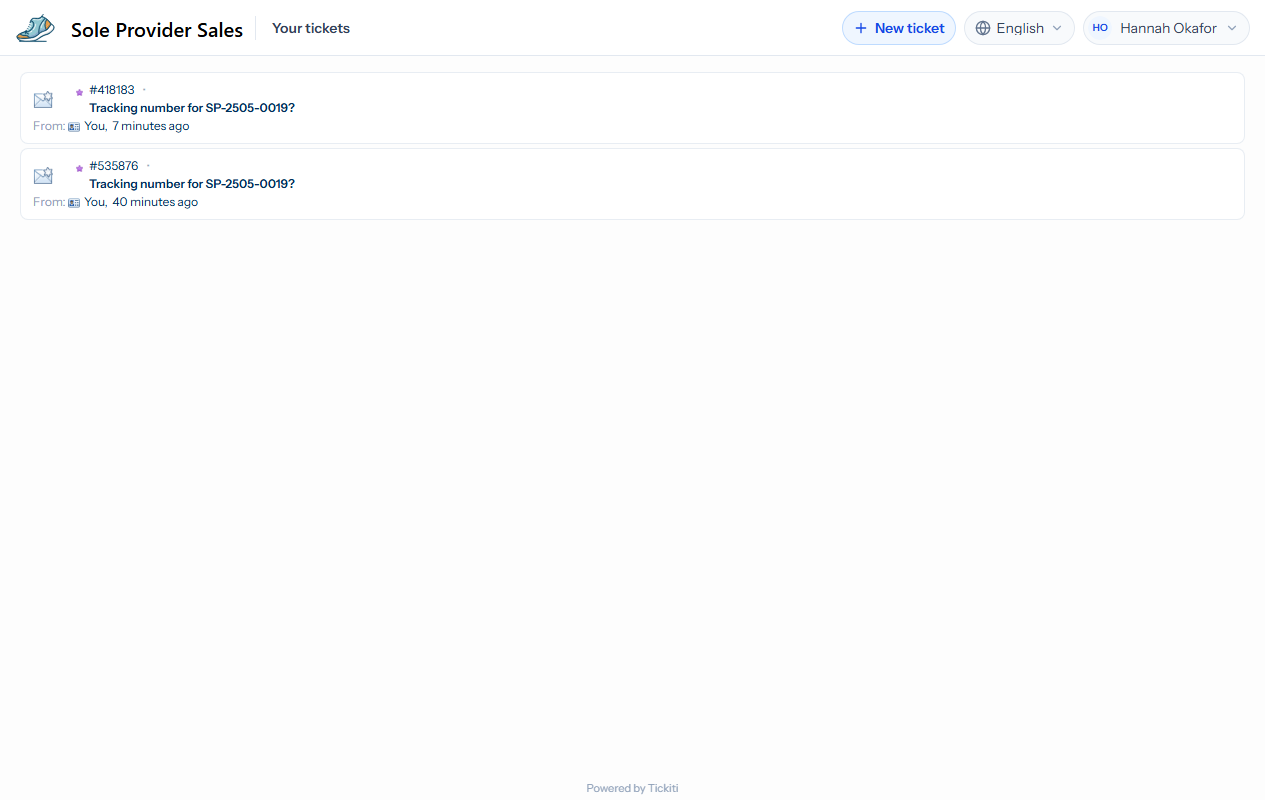
From here you can click any ticket to open it and reply, raise a new one with the New ticket button at the top-right, and sign out from the menu under your name.
Your language
Use the language menu at the top of the page to choose the language you see your tickets in. When you are signed in, your choice is saved to your account, so the emails about your tickets are written in that language too.
One account per supplier
Each company that uses Tickiti runs its own Tickiti site, and your account at one supplier does not carry across to another. If you raise tickets at several suppliers, register separately at each one if you want a browser view at each.
If notifications stop arriving
- Check your spam folder. Add the address the notifications come from to your contacts so future ones land in your inbox.
- Check the address on your account — if you registered with a different email than the ticket was raised under, the ticket list will not show that ticket.
- Still nothing? Raise a fresh ticket on the supplier’s support page asking them to check.