Satisfaction surveys
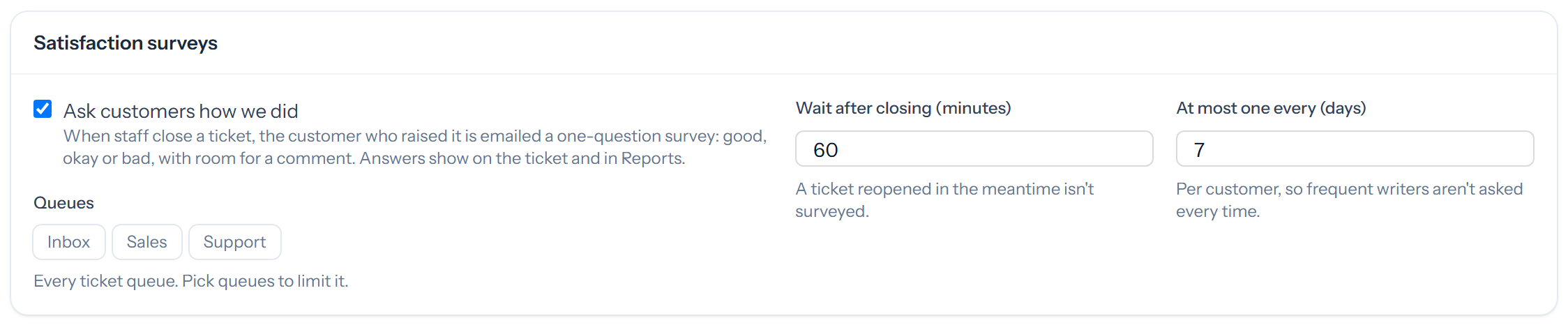
When staff close a ticket, Tickiti can email the customer who raised it a one-question survey: good, okay or bad, with room for a comment. Administrators turn this on under Satisfaction surveys on System settings.
Settings
- Queues: leave them all unselected to survey every ticket queue, or pick the ones you want.
- Wait after closing: a ticket reopened during the wait is not surveyed.
- At most one every: a limit per customer, so frequent writers are not asked every time.
Tasks are never surveyed.
What the customer sees
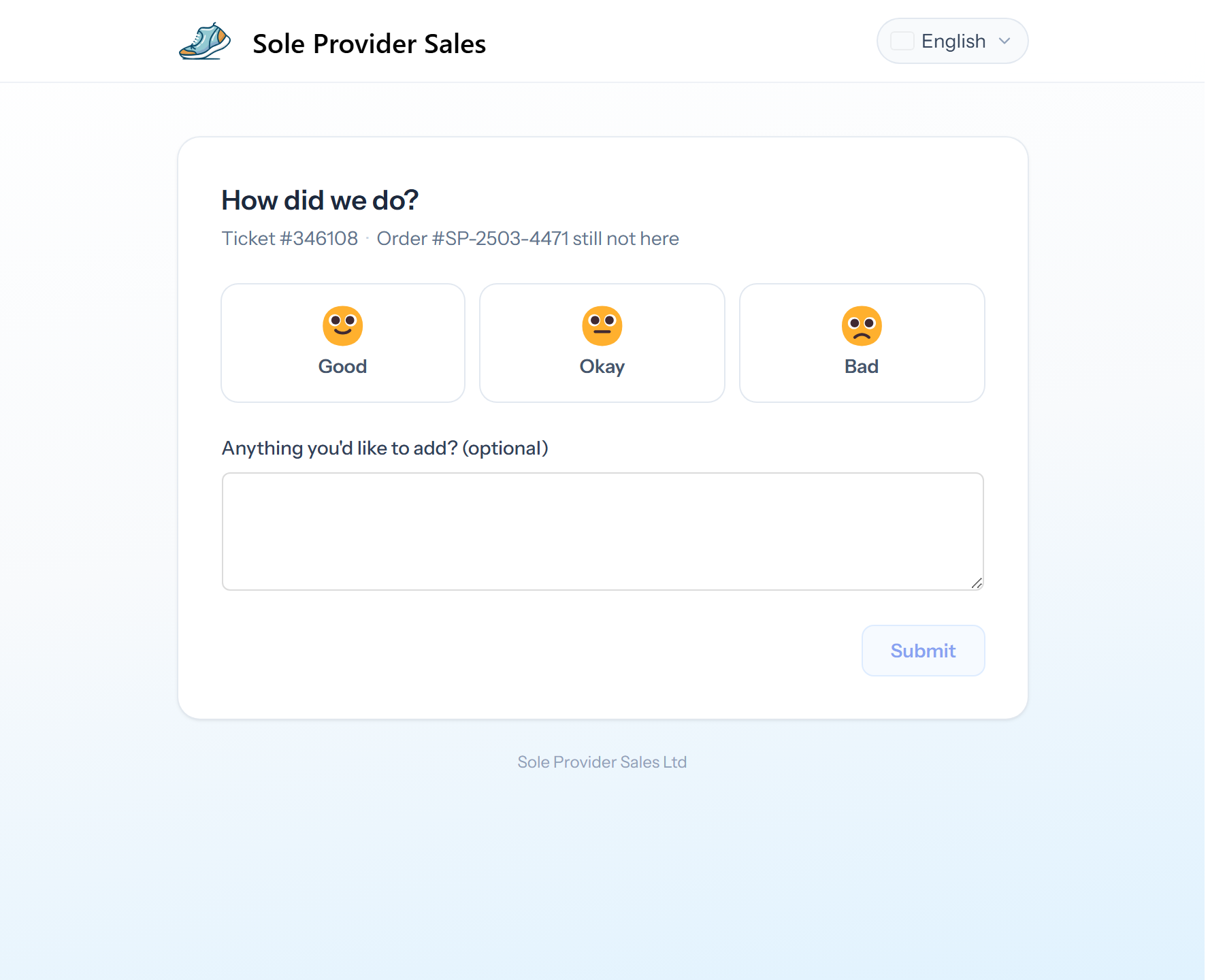
The email has the three answers as buttons. Choosing one opens a page with that answer selected and space for a comment, and the answer is recorded when they click Submit. The link works for 30 days, and they can change their answer during that time.
What staff see
- The rating and any comment appear on the ticket as a staff-only line.
- A perspective can filter on Satisfaction.
- An automation can act on a rating, for example telling a team leader about a bad one.
- The Satisfaction report adds it all up.