Availability
Let colleagues and customers know when you are out of the office. Record the time you will be away, and Tickiti tells anyone assigning you work that you are away, and replies to customers who write on your tickets while you are gone.
To open it: click your account menu → Settings → Availability in the left sidebar.
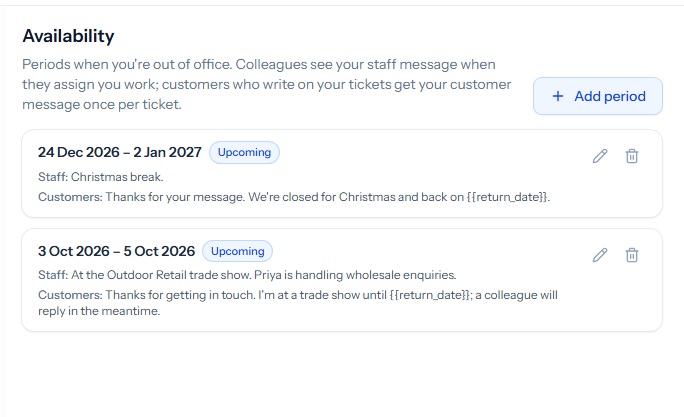
Adding a period
- Click Add period.
- Leave All day ticked to be away for whole days, or untick it to give exact start and end times.
- Set From and Until.
- Write a message for staff, a message for customers, or both (see below).
- Click Save.
Each period is marked Upcoming, Away now or Past. Use the pencil to change a period and the bin to delete it — for instance if you come back early.
The message for staff
While you are away, anyone choosing you as the assignee sees that you are away until when, together with this message — typically who is covering for you. Your tickets’ details panels also show that you are away. See Assignment and queues.
The message for customers
When a customer writes on a ticket assigned to you while you are away, Tickiti sends them this message as a reply. It is sent once per ticket for each period away, so a customer who writes several times — or whose own email sends an automatic reply — gets it only once. Leave the message empty to send nothing.
Placeholders are filled in when the message is sent:
{{user_name}}and{{user_first_name}}— your name.{{return_date}}— the last day of your time away, such as 2 Oct (with the time, for a period set in exact times).
For example: Thanks for your message. {{user_first_name}} is away until {{return_date}}, and a colleague will pick this up in the meantime.
The customer message is not sent on tasks, which have no customers.