Your workflow
For my attention (FMA) is a built-in perspective designed to be the one place you check. It gathers everything that needs you right now — tickets assigned to you, inbox items, unread updates and mentions — so you don't have to look through several lists separately.
Opening it
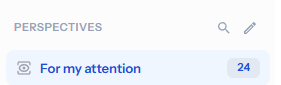
In the Perspectives panel on the left of the ticket browser, click For my attention. You have to click it in this list to select it — the ticket browser then shows that perspective. The number beside it is how many tickets currently need you.
A few habits keep it accurate
What appears here is chosen and ordered for you automatically, so as long as you follow a few simple habits — most of which you'd do anyway — FMA is usually the only perspective you need to open:
- Use a ticket, not email, for anything you need to track — if it isn't in a ticket, FMA can't surface it.
- Put a ticket on hold once you've replied to a customer.
- Close tickets when you're finished with them.
- Bump up a ticket to keep it in view for later.
- Bump down a ticket to drop it from the list.
- Go easy on Urgent priority — save it for the genuine article.
Bumping
The bump controls sit on every ticket:

Bump up is only essential for tickets that aren't assigned to you — one already assigned to you is here anyway. But there's no harm in using it routinely if that's simpler.
Even when one of these drops a ticket from the list, it reappears the moment a stronger signal arrives — so nothing important slips away.
Why a ticket is here — and how it's ordered
Every ticket in FMA carries a small pink star meaning for my attention. The icon beside it tells you why it's here — and it doubles as the running order:
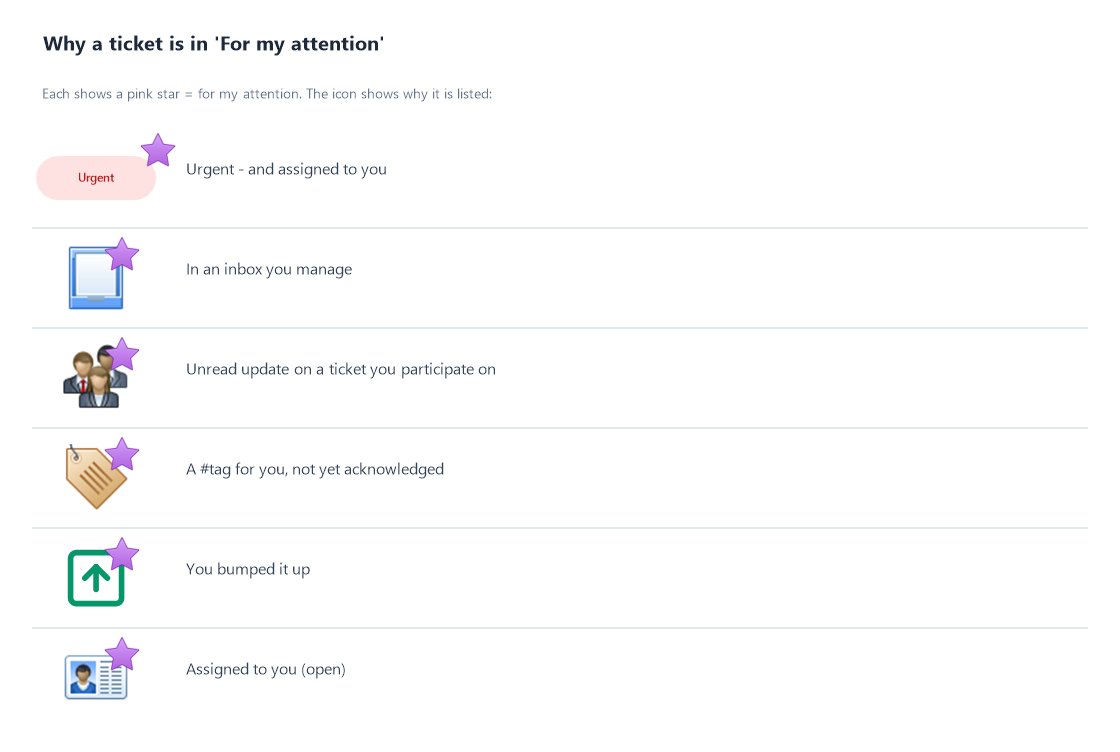
The list is sorted by that signal strength — strongest at the top (Urgent first) — and within each level, the most recently updated first.