FAQs
FAQs are the questions and answers listed beside your public support form, so a customer can find an answer before raising a ticket. Administrators write them at Administration → FAQs.
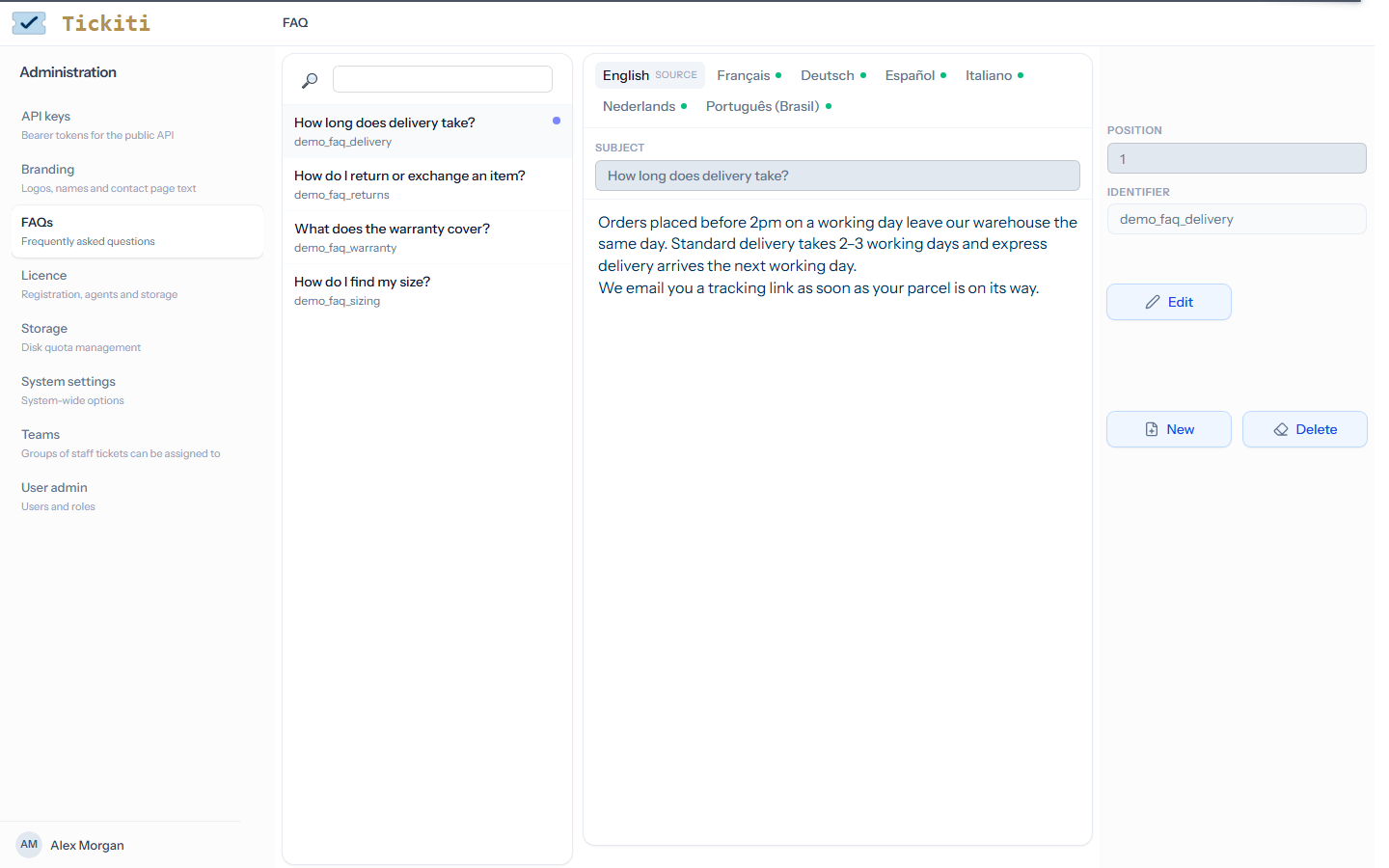
Writing an FAQ
- Click New. A new FAQ is created and opens for editing.
- Type the question in Subject. It is required, and it is the text of the link on the support form.
- Write the answer in the editor below. It can have formatting, links and pictures.
- Set Position: FAQs are listed in ascending order of position, so 1 comes before 2. FAQs with the same position are listed in order of identifier.
- Click Save.
To change an FAQ, select it, click Edit, make the change and save. Delete removes it from the support form straight away. Each FAQ has an identifier, made for it when it is created, which the API returns with it.
What customers see
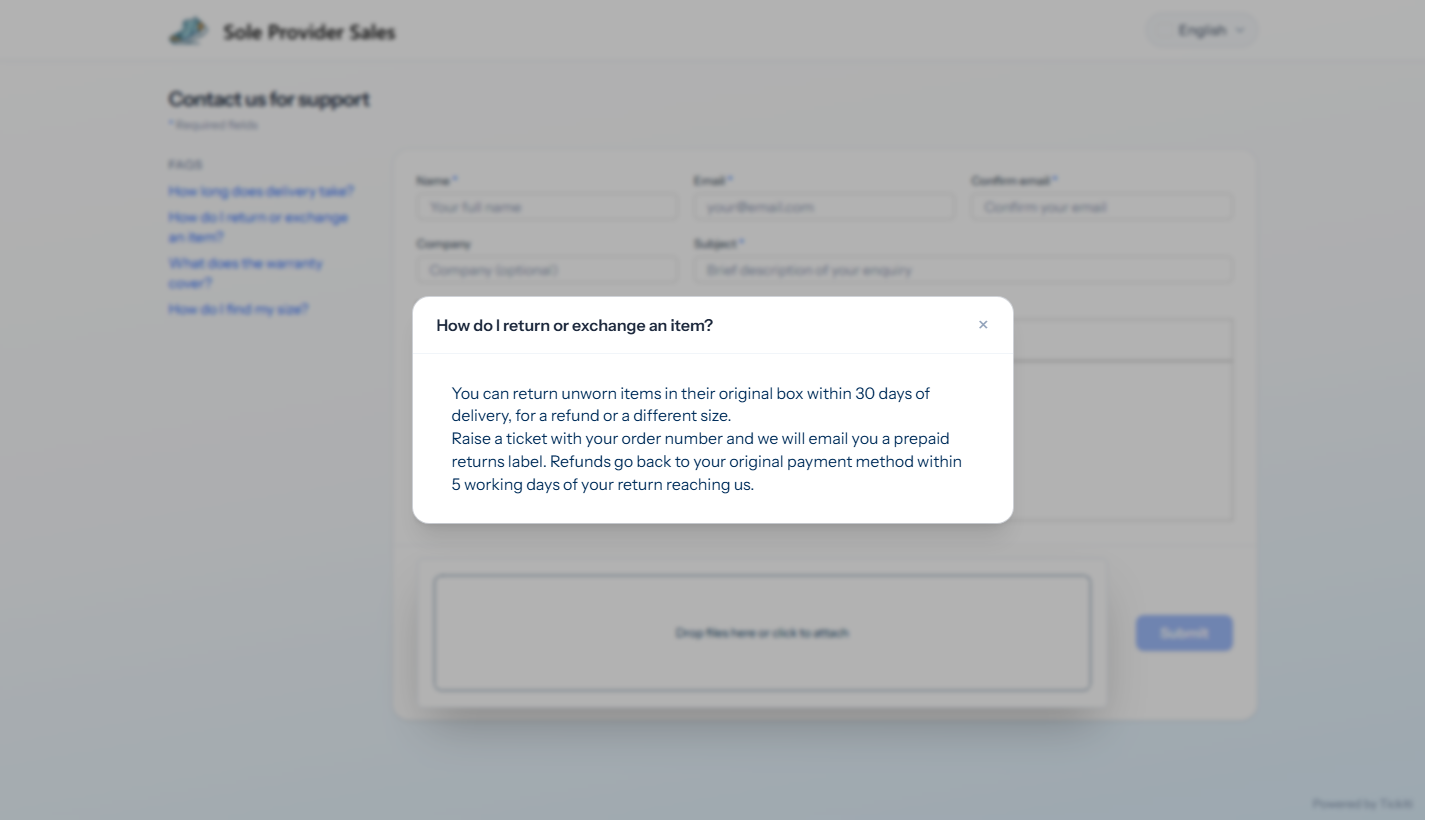
The support form lists the questions on the left, in the order of their positions. Clicking one opens its answer over the form. The list is shown on wider screens and is not shown at all when there are no FAQs.
Other languages
An FAQ can have a translation for each language the support form offers. A visitor who reads the form in French sees the French version of each FAQ that has one, and the English of the others. See Translations.
FAQs on your own website
Your own support pages can show the same FAQs. GET /api/v1/faqs needs no token: it returns the FAQs of the site it is called on, in position order, each with its identifier, subject (the question), content (the answer, as HTML), ordinal and locale. Add ?lang=fr for French, or send an Accept-Language header; each FAQ comes back in that language where it has a translation, otherwise in English, and its locale says which.
{
  "ok": true,
  "locale": "fr",
  "data": [
    {
      "identifier": "demo_faq_delivery",
      "subject": "Quel est le délai de livraison ?",
      "content": "<p>Les commandes passées avant 14 h …</p>",
      "ordinal": 1,
      "locale": "fr"
    }
  ]
}
To manage FAQs through the API, see the Templates API.