Sent mail
Sent mail is a copy of every email Tickiti has sent: replies and notifications to customers, notifications to staff and account emails such as password resets. Use it to check whether a message went out, to whom, and what it said. It is at Mail & Templates → Sent mail, for administrators.
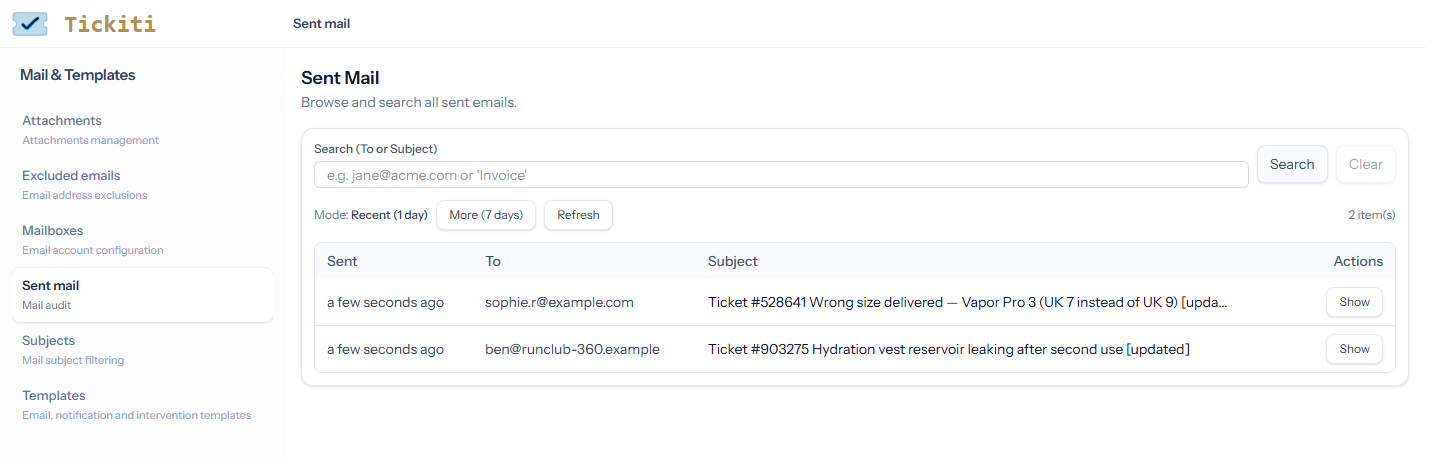
Finding a message
- Recent — the page opens on the messages sent in the last day, newest first. More (7 days) widens it to the last week, Less (1 day) narrows it again, and Refresh fetches anything sent since. Up to 300 messages are listed.
- Search — type part of an address or a subject and press Search or Enter. Search covers every message still kept, not just recent ones, and lists up to 200 matches, newest first. Clear goes back to the recent list.
Ticket emails carry the ticket number in their subject, so searching for 903275 finds every message sent about ticket #903275.
Reading a message
Click Show. The message opens with its From, To, Cc, Bcc and Reply-To addresses (those it had) and when it was sent, beside the message itself as the recipient saw it, with its pictures.
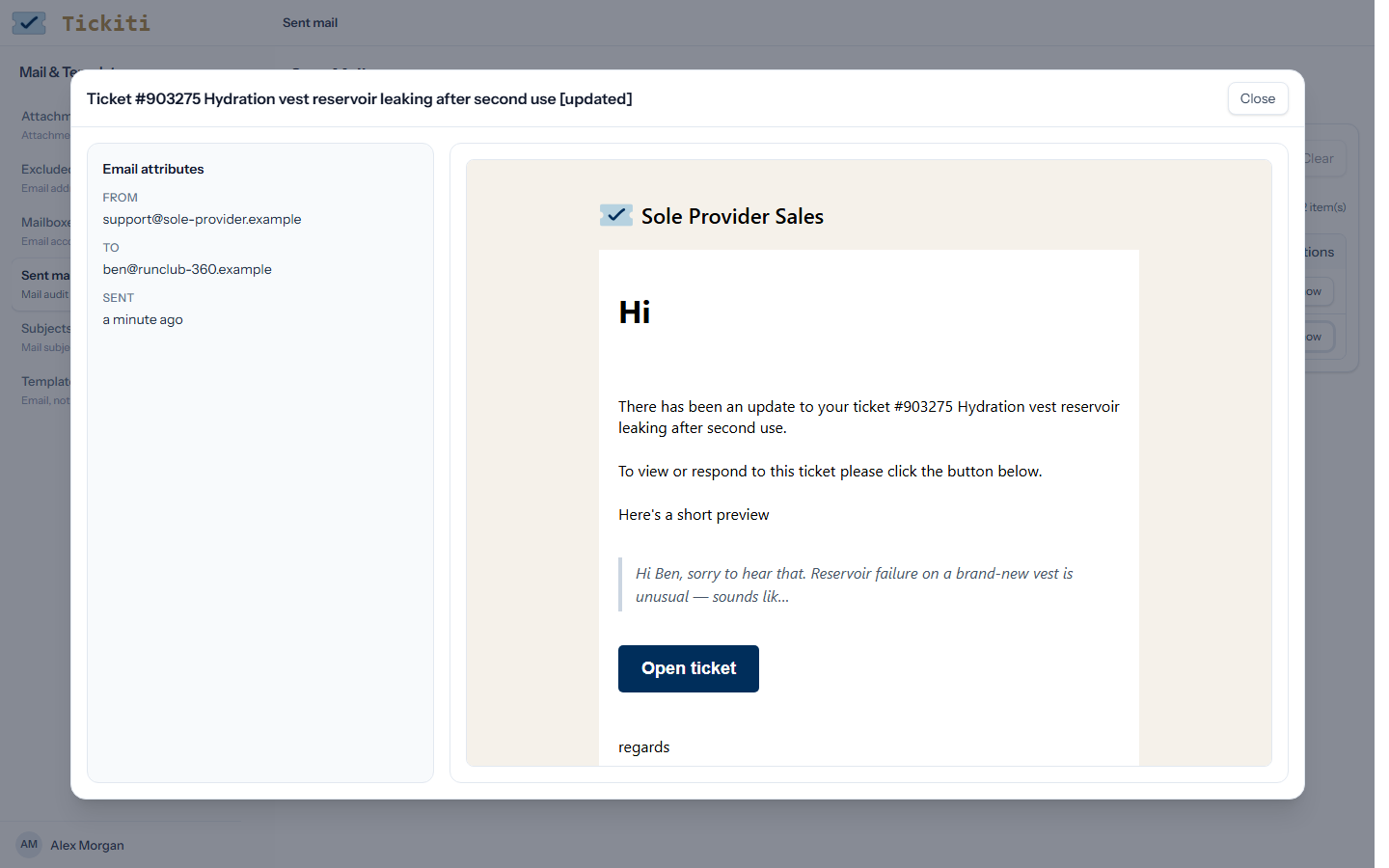
The Download button saves a message exactly as it was sent, as an .eml file that a mail program can open. Downloading needs the superuser account.
What is listed
A message appears here once Tickiti has handed it to the mail server. A message that could not be sent is not listed: Tickiti tries again, and if it still fails the failure shows on the Health page and raises an Alert ticket. On a site hosted by Tickiti, the failure goes to Tickiti’s own support team instead. Being listed does not prove the message arrived; a recipient’s mail server can still refuse it or file it as spam.
How long messages are kept
Sent mail is kept for 365 days unless you choose otherwise. An administrator sets the number of days under Mail Archive Retention on the Disk storage page. Every night Tickiti removes the copies older than that. Tickets are not affected: the replies on a ticket stay on the ticket.