Axial skill store
The Skill store page decides where Axial’s skills are kept: in Tickiti, or in a git repository that you own. Open it from your account menu: Axial → Skill store.
On a site hosted by Tickiti, Tickiti runs the skill store for you, and this page is not in your Axial menu.
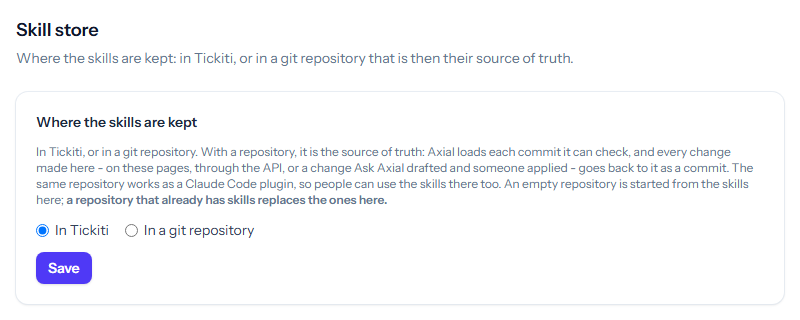
In Tickiti
This is where skills start. They are edited on the Skills pages, through the API, or by applying a change Axial drafted, and Tickiti keeps them. Nothing else is needed.
In a git repository
With a repository, the repository is the source of truth for your skills. Choose this when you want a history of every change, review in your own tools, or the same skills in Claude Code: the repository also works as a Claude Code plugin.
- Tickiti to the repository. Every change made in Tickiti, on the Skills pages, through the API, or a change Axial drafted that someone applied, is committed to the repository with the person who made it as its author, and pushed.
- The repository to Tickiti. Tickiti checks each new commit on the branch and loads it. A commit that cannot be loaded, such as one with a skill that does not pass the checks or without the reserved skill, is refused whole: Axial stays on the last commit it could load, and the page says why.
- Tickiti catches up with the repository before each change is saved, before Axial runs, and every minute where Tickiti’s scheduler runs.
- If the repository and a change made in Tickiti touch the same lines, the change is kept on a branch of its own and Tickiti follows the repository. Nothing is overwritten silently.
Besides the skills and their actions and questions, the repository holds the stock responses Axial may use word for word (those whose AI use is Whole reply or Fragment), published shared notes and the dictation vocabulary.
Moving the skills to a repository
- Create the repository, and an account for Tickiti that can read and push to that repository only.
- Choose In a git repository and fill in the Repository address (https, with no user name or password in it), the Branch (
mainunless you say otherwise), the User name and the Password or token. - Click Save and confirm. Tickiti checks that it can reach the repository before it saves anything.
An empty repository is started from the skills in Tickiti. A repository that already has skills in it replaces the ones in Tickiti, so check which you mean before you save.
The password or token is stored and never shown again: leave the field empty to keep it.
Once it is set up
The page shows the commit Axial has loaded, when the repository was last checked, and how many changes are still to reach it. Sync now catches up straight away. A skill’s editor says that each save is a commit to the repository.
To go back, choose In Tickiti and click Save. The skills Axial has loaded stay in Tickiti.